AI Video Ad Generator
Turn Product Assets Into Video Ads Instantly
Upload your product photos and videos, and let AI create launch-ready ads with voice-overs, subtitles, and music in no time.
What AI Video Ad Studio Can Do For Your Business?
Create Video Promo Ads from Your Product Photos & Clips
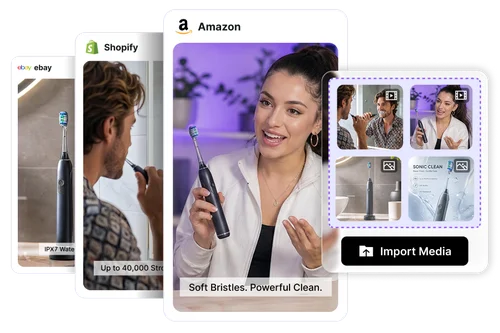
Every seasonal sale means another round of creativity. Simply upload your existing product photos and clips, and AI Video Ad Studio creates ready-to-post promo ads in minutes. Create engaging videos for Amazon and Shopify listings that help your products stand out.
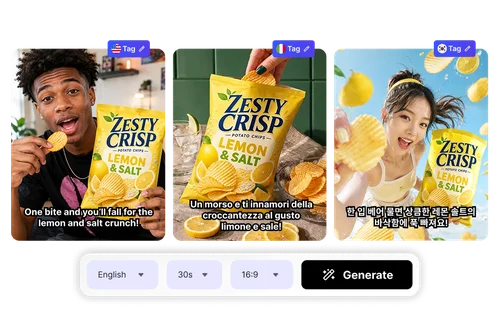
Localize Your Ads with Multi-Language Voice-Over
Going global is easier than ever. Simply upload product photos and clips, and AI Video Ad Studio transforms them into a 30-second launch ad. You can add an AI or custom voice-over in English, Japanese, French, German, Spanish, Korean, or Chinese, helping you reach new audiences faster.
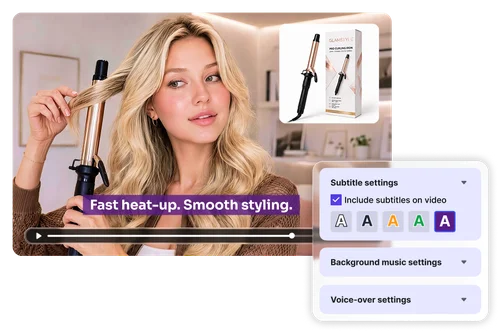
Customize Every Setting in Your Video Ad
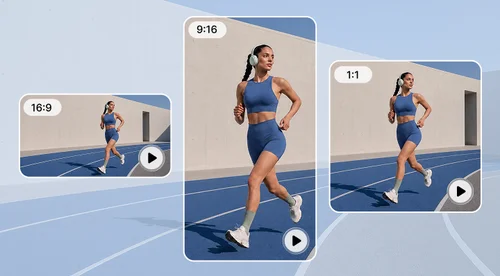
Create videos that fit more than one purpose. Adjust the aspect ratio, video length, clip order, subtitles, voice-over, and background music to generate content tailored to different campaigns, social platforms, and audiences.
How to Make AI Video Ads
Upload Product Media and Customize Settings
Upload up to 120 photos and 10 videos of your product, describe your video topic, and set the language, duration, aspect ratio, and voice-over.
Generate and Preview Your Video Ad
Generate your storyboard, then click play to preview the AI-built video ad before you make any edits.
Edit and Export Your Video Ad
Refine subtitles, voice-over, and background music, rearrange scenes if needed, then export your finished video ad.
Why Business Teams Choose AI Video Ad Studio
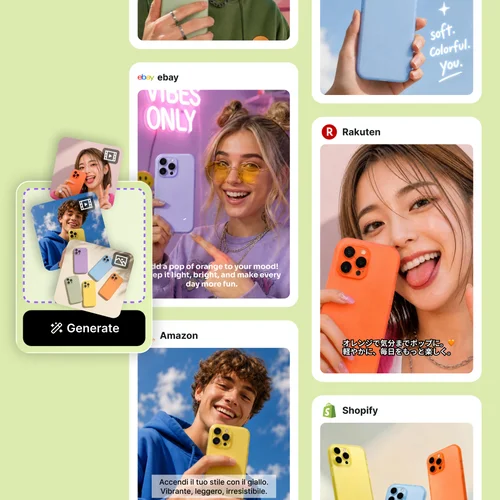
Help your team produce high-quality video ads without lengthy production. Simply upload photos and clips, describe your product, and AI Video Ad Studio generates a polished ad quickly, ready for websites, social media, and marketing campaigns.
AI Video Ad Studio automatically identifies your strongest product photos and clips, arranges them into engaging scenes, and lets you add guidance so the final video better matches your campaign goals. This saves your team from manually sorting through every file to find the best angle.
Turn product videos into campaigns for audiences worldwide. AI Video Ad Studio automatically generates lifelike or custom voice-overs and subtitles in 7 different languages, helping brands expand into new markets faster.
AI Video Ad Studio analyzes your content to generate relevant subtitles and background music automatically. The result is a more engaging, professional video ad with less manual editing, so your team can skip writing captions from scratch or searching for a soundtrack.
Edit your storyboard scene by scene with complete control. Reorder shots, replace visuals, crop images, refine subtitles, and fine-tune every detail until your story looks exactly the way you want. Your progress is saved automatically, so you can leave at any time and come back later to continue editing.
Adjust the duration, aspect ratio, and language to match where your audience is. From YouTube to TikTok, Instagram Reels, and online marketplaces, AI Video Ad Studio helps you create videos optimized for every platform from a single project.
More Ways to Create with MyEdit Business
AI Video Ad Studio FAQ
What is an AI Video Ad Studio?
AI Video Ad Studio turns your product photos and clips into ready-to-use promotional videos. It automatically creates scenes, adds marketing copy, music, voice-over, and subtitles.
How does AI turn my product photos into a video ad?
Upload your product photos and clips, and let AI select the best shots, compose the scenes, write the marketing copy, and add suitable music to create a complete video ad.
Can I use AI-generated ads for commercial purposes?
Yes. Videos created with AI Video Ad Studio can be used for commercial purposes, including product promotions, paid advertising campaigns, social media, and online store listings.
Which platforms are the video ads suited for?
AI-generated video ads are ideal for TikTok, Instagram Reels, and YouTube, as well as product listings on ecommerce platforms such as Amazon and Shopify.
Can I localize my video ads for different markets?
Yes. You can localize your video ads with multi-language AI voice-overs and automatically generated subtitles, helping you reach customers across different regions and markets.
Can I edit the video after it’s generated?
Yes. After generating your video ad, you can adjust individual scenes through the storyboard. Your work is also saved in My Projects, so you can return and continue editing later.
Can I try AI Video Ad Studio for free?
Yes. You can create one video ad for free and regenerate it up to three times, giving you the flexibility to explore different results before choosing your preferred version.
Can I clone my own voice for the voice-over?
Yes. Voice Clone is available with a Business Plan subscription, allowing you to create AI voice-overs that sound like you and maintain a consistent voice across your video ads.