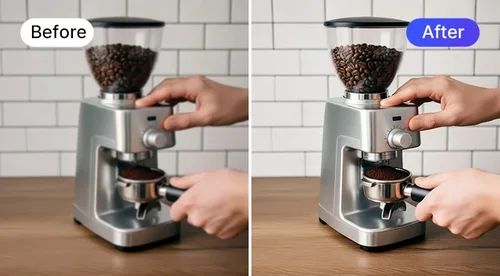
Batch Editor
Edit Product Photos in Bulk
Stop editing product photos one at a time. Upload up to 150 images, apply the same edit to the whole set at once, and download marketplace-ready results in minutes.
How to Batch Edit Product Photos with MyEdit Business
Upload Your Images
Upload up to 150 product photos in JPG, PNG, WebP, GIF, or BMP format. Drag and drop your files into the browser and get started in seconds.
Select the Tool for Your Batch
Select the tool you want to apply across the batch, such as AI Enhance, Background Removal, or AI Shadow, then run it on every image at once instead of one by one.
Preview and Download
Review your processed photos, then download the entire batch. Your images are ready for ecommerce stores, marketplaces, product catalogs, and marketing materials.
What Can the Batch Editor Do for Your Business?
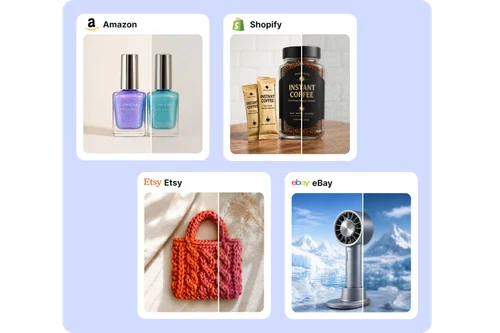
Upgrade Every Product Listing at Once
Product images rarely arrive at the same quality. Some come from suppliers, some from an old catalog, some from a phone. Batch enhance them together so every image on your Amazon, Shopify, or Etsy listing meets the same standard, without opening a single photo in an editor.
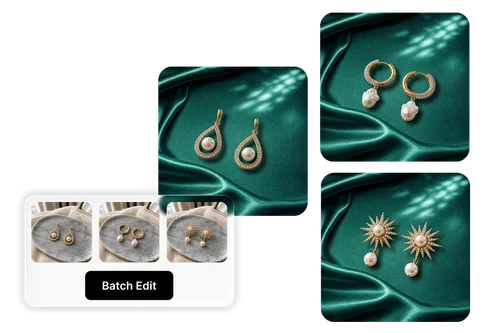
Swap Backgrounds and Add Shadows at Scale
Clean backgrounds and realistic shadows separate a professional product photo from an amateur one. Background Replacement strips cluttered backdrops from your entire batch, and AI Shadow adds a natural, grounded shadow so every item looks studio-shot, ready for Instagram, Facebook Ads, or Google Display.
Why Businesses Choose MyEdit Batch Photo Editor
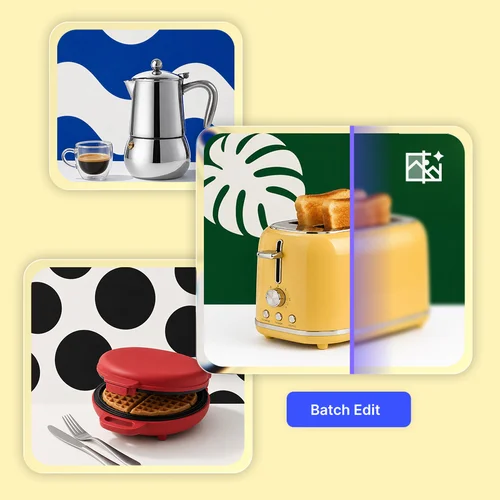
Process large collections of product photos without editing each image individually. Upload up to 150 images at once, and apply the same edit across the entire batch. Save valuable time when preparing new product launches, seasonal collections, or updated online listings.
Products photographed on different days or with different equipment can vary in clarity and overall quality. Batch editing brings them to a consistent standard. A storefront where every image matches looks polished and professional, and that consistency is what builds customer confidence.
Reduce repetitive editing by processing multiple product images in a single pass. When an image needs fine-tuning, send it straight to the Photo Editor for further adjustments without leaving MyEdit Business.
Edit product photos directly from your browser without downloading software or managing updates. With zero installation required, your team can access the tools they need from any computer / PC / Mac
A growing online store and a thousand-SKU catalog have the same problem at different scales: too many photos, not enough time. The Batch Editor handles both. Small business owners and ecommerce teams can process large groups of product photos while keeping quality consistent across every listing.
Batch-edited photos come out clean and uniform, so they drop straight into Amazon and Shopify listings or into social and paid ad creatives. One consistent set of visuals keeps every campaign and storefront on-brand.
Batch Editor FAQ
What is a batch editor?
A batch photo editor lets you improve multiple images at the same time instead of editing them one by one. With MyEdit Business, you can upload your product photos, apply your selected edits across the entire batch, and download consistently improved images that are ready for ecommerce stores, online marketplaces, and digital catalogs.
How many images can I edit at once?
MyEdit Business supports batch editing for up to 150 images, enough to cover a full product line in one upload.
What image formats are supported?
The Batch Editor supports commonly used image formats, including JPG, PNG, GIF, WebP, and BMP, with a file size limit of 25 MB per image.
Do I need editing experience to use Batch Editor?
No. The Batch Editor is designed for users of all experience levels. Upload your images, select the tool you need for the entire batch, and let the system process your batch automatically. Whether you're a small business owner or part of a large ecommerce team, you can improve product photos with just a few clicks.
Can I try the Batch Editor before purchasing?
Batch editing is available to premium subscribers. Free users can preview the Batch Editor and can still edit photos one at a time in each tool's own room, such as Image Enhancer. To process a full batch in one pass, upgrade to a paid plan. See our Pricing page for details.
Can I use the Batch Editor for different types of products?
Yes. The Batch Editor can be used for a wide range of product categories, including fashion, electronics, beauty products, home goods, food packaging, and more. If you have multiple product images that need consistent edits, you can process them together in a single batch to save time and maintain a professional look across your catalog.
How are credits used for batch editing?
With Image Enhancer, Image Upscaler, or AI Shadow, batch editing uses credits for every 10 images, rounded up. Image Enhancer costs 2 credits, Image Upscaler costs 5 credits, and AI Shadow costs 1 credit per 10 images. For example, editing 8 photos with Image Enhancer costs 2 credits, while editing 98 photos costs 20 credits. Background Remover doesn't use credits. It's unlimited on paid MyEdit Business plans, with a limited preview available on the free plan.