Video Edit by Chat
Edit Marketing Videos by Typing What to Change
Edit marketing videos by describing the change, and AI transforms footage into commercial-ready content. No editing skills needed. Try one edit free, no watermark.
Create More Marketing Content with AI Video Editing
Refresh Existing Footage Without Reshoots
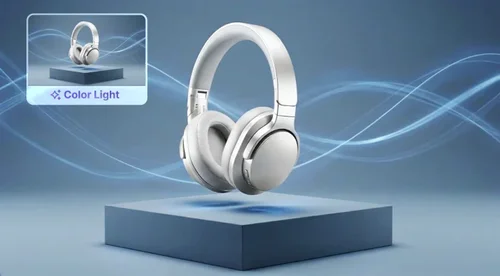
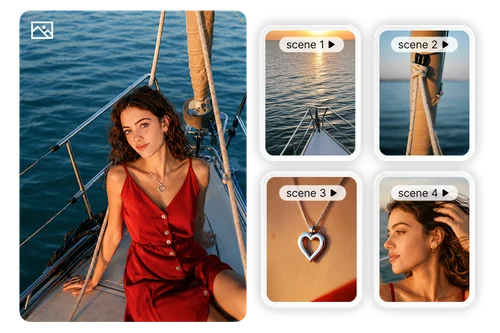
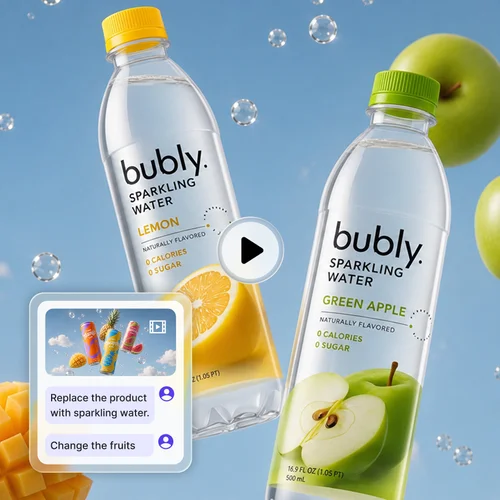
Your team already has valuable video assets. When campaigns change, you don’t need to start over. Describe updates like a new background, different lighting, or a refreshed visual style, and Video Edit by Chat transforms existing footage into ready-to-run ads and campaign content.
Apply Product Styles with Reference Images
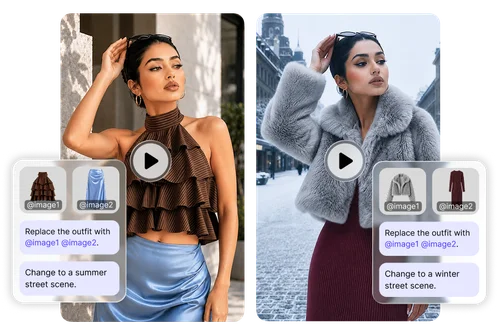
Show the AI exactly what you want with reference images. Upload a product photo, outfit, or campaign asset and tag it in your description. Video Edit by Chat applies those visual details to your footage, helping you create more accurate product styling and campaign variations.
Create More Content from One Video
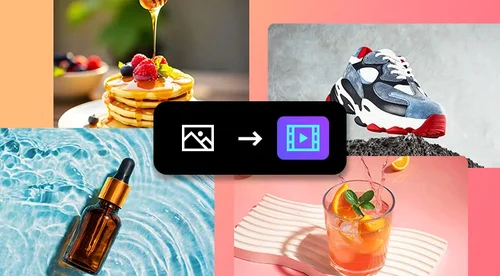
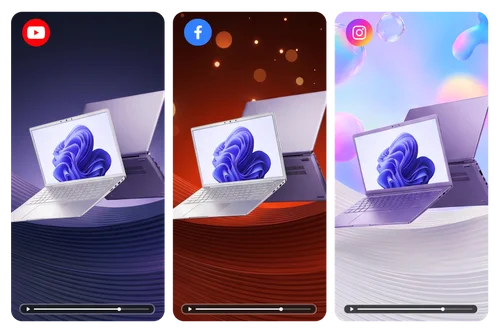
A single product video can support multiple campaigns. Adapt your footage for ecommerce, social media, and seasonal promotions by describing the changes you need. Create new versions faster without additional shoots or time-consuming manual edits.
How to Edit Videos with AI Online
Upload Your Video
Drag and drop your footage into MyEdit Business. Video Edit by Chat supports popular formats including MP4 and MOV, making it easy to transform your existing video assets.
Describe Changes & Add Reference Images
Tell AI what you want to change using simple descriptions. Add reference images and tag them to guide product details, styling, backgrounds, and other visual elements.
Download Your Edited Video
Review your AI-edited result and download your finished video. Create content ready for product pages, ads, and social campaigns
Why Business Teams Choose Video Edit by Chat
Create professional-looking videos without learning complex editing software. Describe the changes you want, and Video Edit by Chat handles the technical work behind the scenes. Marketing teams can create and update video content faster, with no editor to hire and no timeline to learn.
Reference images give the AI a target to match. Upload product photos, campaign visuals, or design examples, then tag them in your description. The AI reads those cues and applies your exact colors, styling, and product details, so every edit stays on-brand.
Skip the time-consuming process of opening a timeline, searching through footage, and making manual adjustments. Upload your video, describe the changes you need, and Video Edit by Chat creates updated content faster, helping your team respond quickly to new campaigns, trends, and marketing needs.
Skip new shoots when a campaign shifts. Regenerate a fresh background, style, or seasonal look from footage you already own, so your team cuts production time and studio costs while still shipping on-brand video for every promotion.
Create videos ready for professional marketing use across ecommerce and advertising channels. Whether you need content for Amazon product listings, Shopify stores, social media campaigns, or digital ads, Video Edit by Chat delivers watermark-free results designed for commercial distribution.
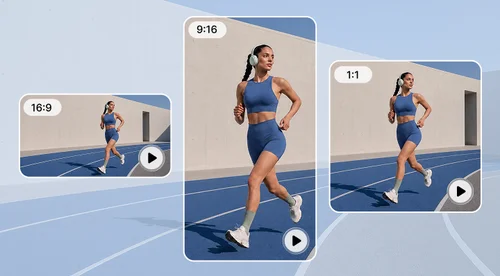
Choose from AI models such as Kling, Wan, and PixVerse, each suited to different types of edits. Select the aspect ratio that fits Amazon listings, Instagram ads, or your storefront, and keep or regenerate audio to match the final channel.
Video Edit by Chat FAQ
What is Video Edit by Chat?
Video Edit by Chat is MyEdit Business's AI video editing tool that lets you edit footage by describing what you want to change. Instead of working through a traditional timeline, simply upload your video, explain your edits, and AI creates the updated result.
Is Video Edit by Chat a full video editor for cutting and trimming?
Not a timeline editor. Video Edit by Chat is a prompt-based, video-to-video tool: you describe a change, such as a new background, style, or product swap, and AI regenerates the footage. For a marketing team, that means fast look-and-feel changes and new ad variations, not manual cutting or splicing.
Can I test Video Edit by Chat before using credits?
Yes. Every new account gets one free trial, so you can test Video Edit by Chat on your own footage before spending any credits. The trial works with any AI model. Each model lets you generate a different number of seconds, and the free trial can be used once per account, not once per model. After that, edits run on credits and your downloads never carry a watermark.
What video formats are supported?
Video Edit by Chat supports popular video formats including MP4 and MOV, making it easy to upload and transform your existing footage. Whether you are updating product videos, refreshing campaign assets, or creating new marketing content, you can start editing directly from your current video files.
Do I need video editing experience to use this tool?
No. Video Edit by Chat is designed for marketers, business teams, and creators of all skill levels. You don’t need experience with professional editing software or timelines. Simply describe the changes you want, and AI handles the technical editing process for you.
How do reference images work in Video Edit by Chat?
Reference images provide additional visual guidance for your edits and help AI better understand your desired result. Upload product photos, designs, or campaign assets, then tag them in your description to guide specific details such as styling, colors, backgrounds, and product elements for more accurate video edits.
Is Video Edit by Chat free?
You can try it once for free. Every new account gets a single free trial that works with any AI model, and the number of seconds you can generate depends on the model you choose. The free trial is one per account, not one per model. After the trial, edits run on credits based on the model and video length, and every download is watermark-free. See Credits for details.
Are videos created with Video Edit by Chat suitable for commercial use?
Yes. Videos created with Video Edit by Chat are designed for commercial marketing needs, including ecommerce listings, digital advertising, and social media campaigns. Create polished, watermark-free videos that can be used across channels such as product pages, online stores, paid ads, and promotional content.
Can I create Shopify and Amazon product videos with Video Edit by Chat?
Yes. Video Edit by Chat helps businesses quickly update and create product videos for ecommerce channels such as Shopify and Amazon. Transform existing footage into new product variations, seasonal campaigns, and promotional content without requiring repeated shoots or time-consuming manual editing.