AI Marketing Post Generator
AI Social Media Post and Ad Maker for Marketing Teams
AI Marketing Post is MyEdit Business's AI social media post and ad maker. Upload a product photo, add a few details, and get a finished post or ad with a background, headline, and call to action, on-brand and sized for any channel, without a designer.
From Product Photo to Finished Post or Ad
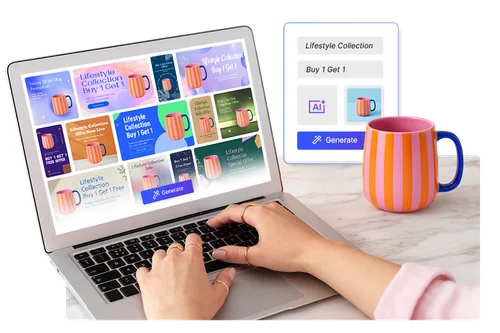
Turn a Product Photo Into a Finished Post in Minutes
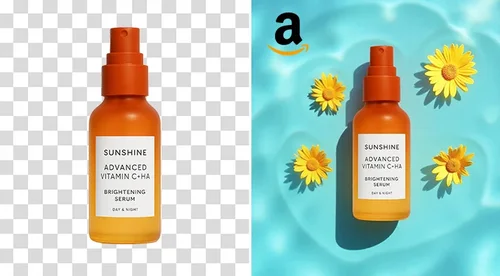
Upload your product image and the AI builds the whole post: it removes the background, places your product, and adds a matching background, headline, supporting copy, and a call to action. From social posts to promotional ads, you get polished visuals in minutes, so your team can focus on messaging, campaigns, and performance instead of production.
Test What Converts, Then Scale Across Channels
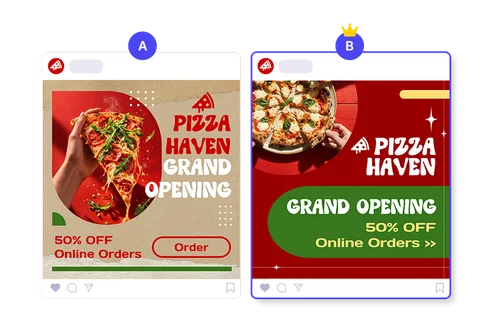
Find the version that converts, without guessing. Custom mode gives you six ready-to-use options in one run, so you can compare layouts, pick the strongest, and A/B test the rest. Export any of them in every aspect ratio for feeds, stories, ads, and marketplace listings, so one product fills every channel without a redesign.
Agency-Quality Design Without Agency Costs
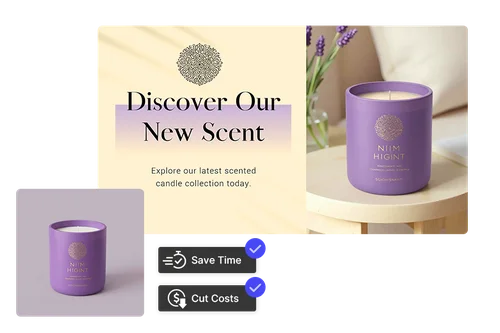
The AI applies proven design principles like balance, hierarchy, and typography to every post, so your visuals look agency-made while your budget stays in-house. Smart Color and Smart Position keep the look consistent, and multi-language templates let one campaign run across markets.
A Simple 3-Step Workflow
Upload or Generate Your Product Image
Upload your own product photo, which is background-removed automatically, or generate one with AI to start from scratch.
Add Your Details
Describe your product or topic, add the key messages you want on the post, then choose an aspect ratio, a color tone (or Smart Color), and a template language.
Generate, Refine, and Export
Choose Standard for one custom AI design, or Custom for six options at once. Send any result to the built-in Photo Editor for extra edits, then download with no watermark, ready to publish.
Why Businesses Use AI Marketing Post
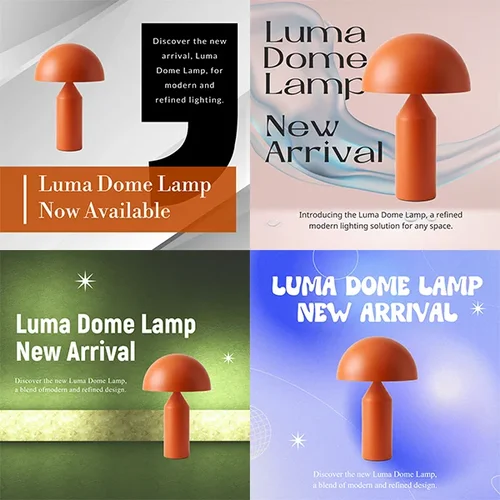
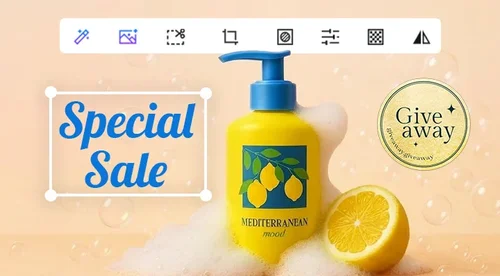
This does more than swap a background. From one product photo, it builds a complete post with a headline, supporting copy, and a call to action, so what you download is ready to publish, not a starting point.
Standard mode generates one custom design, with the AI building an original scene around your product and then adding the text. Custom mode returns six template-based options at once, so you can choose speed and originality or volume and choice for each campaign.
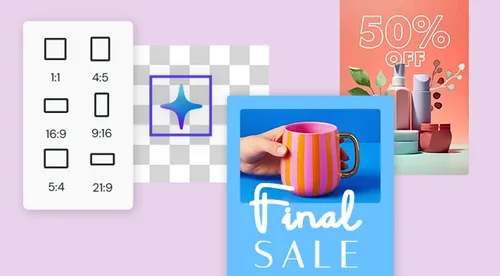
Export in a wide range of aspect ratios, including 1:1, 9:16, 16:9, 4:5, and more. One product becomes a feed post, a story or reel, a wide ad, and a marketplace image without redesigning anything.
Beyond organic posts, it works as an AI ad maker. From the same product photo, generate ad creatives with a headline, an offer, and a Shop Now button, sized for Instagram, Facebook, and other placements. Create several variations in one run and test which ad converts best.
Smart Color and Smart Position handle placement and palette, and the AI applies consistent layout and typography rules. Every post in a campaign looks like it belongs to the same brand.
Generate posts in multiple template languages, so the same product campaign can run across markets without a separate design pass for each one.
React instantly to promotions, trends, and product launches. Generate ready-to-publish posts on demand, so your campaign goes live when timing matters, not days later waiting on production.
AI Marketing Post FAQ
What is AI Marketing Post?
AI Marketing Post is MyEdit Business's AI social media post generator. It turns a product photo and a few details into a finished, on-brand post with a background, headline, copy, and call to action, ready for social feeds, ads, and marketplaces.
How does AI Marketing Post work?
Upload a product image or generate one with AI, describe your product and key messages, then pick an aspect ratio, color tone, and language. The AI produces the design, and you refine and download it.
What is the difference between Standard and Custom mode?
Standard mode creates one custom design, with the AI generating an original scene around your product and then applying the text; it uses 8 Credits per design. Custom mode creates six designs at once from a large template library mapped to your product. Free users can generate one set of six per day, and subscribers have unlimited Custom generations.
Do I need my own product image to start?
No. You can upload your own product photo, which is background-removed automatically, or generate a product image with AI and design the post from there.
What sizes can I create?
You can export a wide range of aspect ratios, including 1:1, 9:16, 16:9, 2:3, 3:2, 3:4, 4:3, 4:5, and 5:4, which covers social feeds, stories and reels, wide ads, and marketplace images.
Can I use the posts for commercial ads and e-commerce?
Yes. Posts created with MyEdit Business are made for commercial use, including paid ads, promotions, and product listings for e-commerce and online retail.
How is this different from Canva or manual design tools?
It is not a blank canvas. You give it a product and a message, and it builds the full design, layout, and copy for you, then lets you adjust. That means finished posts in minutes without design skills or long workflows.
Can I use it to make Instagram and Facebook ads?
Yes. It works as an AI ad maker: from a product photo it builds complete ad creatives with a headline, offer copy, and a call to action like Shop Now, in the exact sizes Instagram, Facebook, and other placements need. Use Custom mode to generate several ad variations to test.
Is AI Marketing Post free?
You can create posts using Credits. Standard designs use 8 Credits each, and Custom mode gives free users one set of six designs per day, with unlimited Custom generations for subscribers. Downloads have no watermark. See Credits for details.